



vSphere – ‘The Number of HA Heartbeat Datastores for this host is 0’
KB ID 00011202 Problem Seen after enabling HA on your vSphere Cluster HA Error: The number of heartbeat datastores for host is 0, which is less than required: 2 or HA Error: The number of heartbeat datastores for host is 1, which is less than required: 2 I had this on my test network today, and to be honest thats not really surprising because I don’t have any shared storage. Note: You can see the same error if your ‘HA...
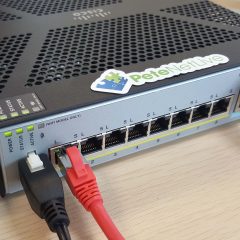
Device Boots to ROMMON (Cisco ASA)
KB ID 0001199 Problem After recently picking up some second hand ASA5512-X firewalls, I went to run them up, and make sure they were ok, however on boot up they went straight to ROMMON like so; Use ? for help. rommon #0> Now I know what ROMMON is, it’s the base operating system of the device, its job is a bit like the BIOS on a PC, it locates and loads the operating system. The only time you should ever see a rommon prompt...
Cisco ASA – Packet Tracer Fails VPN:Encrypt:Drop
KB ID 0001198 Problem Sometimes when troubleshooting VPN traffic, you may choose to use the ‘packet-tracer’ command to simulate interesting traffic. I did this today and got; Phase: {number} Type: VPN Subtype: encrypt Result: DROP Config: Additional Information: Result: Drop-reason: (acl-drop) Flow is denied by configured rule I replicated the error on the test bench. Solution Below is the full packet trace;...

MAC OSX – Connecting to Cisco IPSEC VPN
KB ID 0001197 Problem Here we are dealing with the older IPSEC VPN method of remote VPNs, NOT AnyConnect. There is/was a VPN client for Mac OSX which you can still download. But modern versions of OSX have the Cisco IPSec VPN client built into them. I’m assuming you have already configured the firewall, if not see the article below; Cisco ASA5500 Client IPSEC VPN Access Solution Open your network preferences and add in a new...
Cisco ASA – Converting IKEv1 VPN Tunnels to IKEv2
KB ID 0001196 Problem We’ve had IKEv2 support on Cisco ASA for a while, (since version 8.4). I tend to setup site to site VPN tunnels at command line, and on the rare occasions I’m using the ASDM I normally just ignore the IKEv2 settings. Like all techies I know a way that works, so I will keep doing it that way. What’s the difference between IKEv1 and IKEv2? IKE version 2 is a lot more efficient and has a smaller...
VMware Upgrading the vSphere Virtual Center Appliance
KB ID 0001193 Problem I had a vCenter 6.0.0.1 appliance on my test network and wanted to update it to version 6.0.0.2. But I didn’t want to reinstall the whole thing from scratch. Solution Let’s assume it’s going to go wrong! Take a snapshot off the appliance first. Go to the patch update site and get the latest patch for your version of vCenter. Upload the ISO file into your vSphere storage, and present it to your...

Citrix NetScaler – SSL Offloading
KB ID 0001192 Problem What is SSL Offloading? If you run https services (Note: I say services, this does not have to be a website), the actual security is handled by SSL/TLS, one of the things this does is encrypt the traffic between the client and server. (This is why your online banking and shopping is done over https and not http.) Thats great, but encrypting and decrypting all that traffic takes a lot of processing cycles, if you...

Citrix NetScaler – ‘Certificate is not a server certificate’
KB ID 0001191 Problem While attempting to bind a certificate to a Virtual Server on my NetScaler this happened; Error Certificate is not a server certificate Solution Before you proceed, delete the problem certificate to avoid confusion! I had generated this certificate with Microsoft Certificate Services, and I had made a wildcard certificate like so; Certificate Services – Create a ‘Wildcard Certificate’ Remember if you use the...
NetScaler – SSL Virtual Server State: Down Effective State: Down
KB ID 0001190 Problem When trying to setup SSL Offloading on a NetScaler Virtual Server. I was unable to get the State and Effective State to ‘go green’. Solution If you hit the ‘down arrow’ to the left it will give you a little more information, it also says ‘SSL feature disabled’. Log directly into the appliance and issue the following command; enable feature SSL Hit the ‘refresh’...

Firefox Error – SSL_ERROR_WEAK_SERVER_EPHEMERAL_DH_KEY
KB ID 0001189 Problem Firefox is what I use when Opera does not work, so when I tried to connect to some management servers that did not support Opera this happened; Secure Connection Failed An error occurred during a connection to {FQDN). SSL received a weak ephemeral Diffie-Hellman key in Server Key Exchange handshake message. (Error code: SSL_ERROR_WEAK_SERVER_EPHEMERAL_DH_KEY) Solution Navigate to ‘about:config’...