
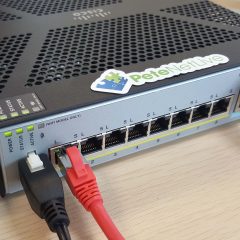
Find out your Cisco ASA version (Operating system and ASDM)
KB ID 0000690 Problem With all the command changes that have come in in the past few versions, it seems when I get asked ‘how do you do xyz?” my first question is ‘What is the OS version on your ASA?’ So next time I get a blank look, I can just point them here. Also see: ASA 5505 Determine Your License Version Solution Get your ASA version and ASDM version from the ASDM. 1. Connect to the ASA via ASDM. 2. Home...
VPN Error – ‘CRYPTO-4-RECVD_PKT_NOT_IPSEC’
KB ID 0000936 Problem While setting up a simple site to site to site VPN, I was unable to get ISAKMP phase 1 to establish. When I had a look on the device at the far end. I saw this error logged in the console, every time I tried to bring up the tunnel. *Mar 1 00:21:42.811: %CRYPTO-4-RECVD_PKT_NOT_IPSEC: Rec’d packet not an IPSEC packet. (ip) vrf/dest_addr= /192.168.2.3, src_addr= 192.168.1.2, prot= 1 Solution After about 40...
Cisco – Cracking and Decrypting Passwords (Type 7 and Type 5)
KB ID 0000940 Problem Decrypt Type 7 Cisco Passwords The Internet is full of sites that have something like the tool below, tap your ‘encrypted’ password in and it will reveal the Cisco password. Input Type 7 Obfuscated Password: Output Plain Text Password: As you can see I’ve specifically written ‘obfuscated’ above, because the password isn’t actually encrypted at all. All that happens is the...

Securing Network Device Access With Cisco ACS (and Active Directory)
KB ID 0000942 Problem For network identification I have tended to use RADIUS (in a Windows NPS or IAS flavour), in the past. I turned my back on Cisco TACACS+ back in my ‘Studying for CCNA’ days, because back then it was clunky and awful. I have a client that will be installing ACS in the near future, so I thought I would take a look at it again, and was surprised at how much more polished it is. As Cisco plans to roll ACS...
Cisco VPN Client Install Error 28000
KB ID 0000945 Problem Seen when attempting to install or remove the Cisco VPN client software. Error 28000: Before installing the Cisco Systems VPN Clients {version}, you must uninstall the previous version of Cisco Systems VPN Client {version}, using the Add/Remove Program Files option in the Control Panel. Then restart your system. Solution 1. Firstly Windows Key +R > appwiz.cpl {Enter} > Locate and remove the VPN Client....