
Microsoft Autoroute Install Errors (Windows 8)
KB ID 0000686 Problem I only use Autoroute once a month, (when I put my mileage in at work!). So this month I had a head slap when it was one of the bits of software I had forgotten to install on my freshly rebuilt laptop. So I fired up the setup for Autoroute 2007 and it failed. So I moaned and was furnished with a shiny new copy of Autoroute 2011. But when I tried to install it, this happened. Microsoft Autoroute 2011 Setup One of...
Windows – ‘Where’s HyperTerminal?’
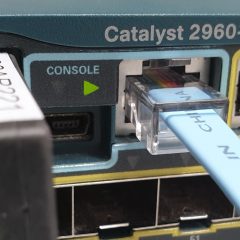
KB ID 0000101 Problem If like me you’ve spent a large part of your life hanging out of comms cabinets with serial cables programming routers, switches, and firewalls etc,then HyperTerminal will be an old friend. So I was a bit put out when I couldn’t find it in Vista, Windows 7, or Windows 8. The Microsoft Web site says, HyperTerminal is no longer part of Windows. However, you can use Telnet. It’s a simple, text-based...

Windows – Help! Where’s Telnet
Also see Windows – ‘Telnet’ is not recognized as an internal or external command KB ID 0000100 Problem Telnet has not been in the default build of Windows since Windows Vista – this is troubling if your a tech and need to program things or test connectivity to mail servers etc etc… Fear not you can still use telnet (if you prefer you can use Hyperterminal instead of basic telnet). You just need to load it...
Windows – ipconfig – Stop the tunnel adaptors showing
KB ID 0000024 Problem Windows ipconfig – annoyingly shows lots of info you don’t want to see, so you have to scroll to the top of the list to see your IP address all the time. Solution 1. Stat > run > devmgmt.msc 2. View > Show Hidden Devices. 3. Expand Network Adaptors. 4. Disable all that start with isatap 5. Make sure your comms still work. 6. Re-run ifconfig. Related Articles, References, Credits, or External...
Windows – ‘Telnet’ is not recognized as an internal or external command
KB ID 0000455 Problem Telnet client from Windows, and have it as an “Optional Extra”. For most people that’s fine, but for anyone who programs network devices, or needs to test that ports are open, or test mail flow by telnet to port 25, that’s a pain. Solution Enabling Telnet – Windows 10 1. From PowerShell execute the following command; dism /online /Enable-Feature /FeatureName:TelnetClient Enabling...