
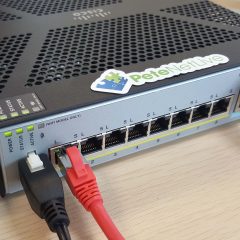
Cisco ASA – Port Forward a ‘Range of Ports’
KB ID 0001111 Note: This is for Cisco ASA 5500, 5500-x, and Cisco Firepower devices running ASA Code. This comes up on forums a lot, some applications and most phone systems require a ‘LOT’ of ports to be open. Normally thats fine you just give the internal IP a static public IP and open the ports. But what if you don’t have a spare public IP? I’ve already covered port forwarding before. Cisco PIX / ASA Port...
Cisco ASA Site To Site VPN IKEv2 “Using CLI”
KB ID 0001429 Problem Note: This is for Cisco ASA 5500, 5500-x, and Cisco Firepower devices running ASA Code. You want a secure IPSEC VPN between two sites using IKEv2. Note: If the device you are connecting to does not support IKEv2 (i.e. it’s not a Cisco ASA, or it’s running code older than 8.4) then you need to go to the older version of this article; Cisco ASA 5500 Site to Site VPN IKEv1 (From CLI) Solution Before you...

Exchange Cant Mount Database ‘0x80004005’
KB ID 0001632 Problem When attempting to mount an Exchange Database I got this error; Failed to mount database “{Database-Name}”. Error: An Active Manager operation failed. Error: The database action failed. Error: Operation failed with message: MapiExceptionDatabaseError: Unable to mount database. (hr=0x80004005, ec=1108) Diagnostic context: Lid: 65256 Lid: 10722 StoreEc: 0x454 Lid: 1494 —- Remote Context Beg...

No Mail Flow On-Premises To/From Office 365
KB ID 0001631 Problem I upgraded my On-Premises Hybrid Exchange server recently, from Exchange 2016 to Exchange 2019. I remembered to add the new server onto the Office 365 send connector, but there was no mail flow between an on premises mailbox and an office365 mailbox? Solution This happens because, (even if you are using the same certificate on the new and old servers) the certificate that is used for TLS security between your...
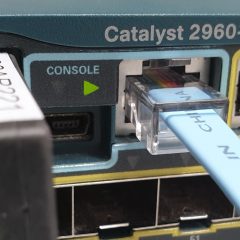
Cisco Catalist Upgrading 2900, 5500 and 3700 Stacks
KB ID 0001630 Problem People are often nervous about doing this, I’m not sure why because Cisco have made it painfully simple now. That’s because instead of the old /bin files we used to use, you can now upgrade a switch (or a switch stack) using a .tar file with one command, (and it will also upgrade all the stack members and the firmware on any other network modules you have in the switches at the same time). Yes it does...