

Windows Server – Disk Performance Missing From Task Manager?
KB ID 0001203 Problem If your machine is struggling, a good place to look first is the performance tab on ‘Task Manager’ Here you can see CPU and Memory Stats and how our network cards are performing, but wheres the disk stats? Solution Before you can see them you need to enable them, open a PowerShell, (or an administrative command window). and run the following command; diskperf -y Now re-open task manager and go to...

vSphere – ‘The Number of HA Heartbeat Datastores for this host is 0’
KB ID 00011202 Problem Seen after enabling HA on your vSphere Cluster HA Error: The number of heartbeat datastores for host is 0, which is less than required: 2 or HA Error: The number of heartbeat datastores for host is 1, which is less than required: 2 I had this on my test network today, and to be honest thats not really surprising because I don’t have any shared storage. Note: You can see the same error if your ‘HA...
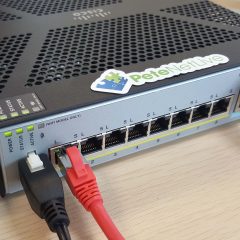
Device Boots to ROMMON (Cisco ASA)
KB ID 0001199 Problem After recently picking up some second hand ASA5512-X firewalls, I went to run them up, and make sure they were ok, however on boot up they went straight to ROMMON like so; Use ? for help. rommon #0> Now I know what ROMMON is, it’s the base operating system of the device, its job is a bit like the BIOS on a PC, it locates and loads the operating system. The only time you should ever see a rommon prompt...
Cisco ASA – Packet Tracer Fails VPN:Encrypt:Drop
KB ID 0001198 Problem Sometimes when troubleshooting VPN traffic, you may choose to use the ‘packet-tracer’ command to simulate interesting traffic. I did this today and got; Phase: {number} Type: VPN Subtype: encrypt Result: DROP Config: Additional Information: Result: Drop-reason: (acl-drop) Flow is denied by configured rule I replicated the error on the test bench. Solution Below is the full packet trace;...

MAC OSX – Connecting to Cisco IPSEC VPN
KB ID 0001197 Problem Here we are dealing with the older IPSEC VPN method of remote VPNs, NOT AnyConnect. There is/was a VPN client for Mac OSX which you can still download. But modern versions of OSX have the Cisco IPSec VPN client built into them. I’m assuming you have already configured the firewall, if not see the article below; Cisco ASA5500 Client IPSEC VPN Access Solution Open your network preferences and add in a new...