

Using 32 and 64 Bit WMI Filters For Group Policy
KB ID 0001341 Problem I was trying to deploy some client AV packages today, there was an x86 version (x32 Bit) and a x64 bit version of the client software. As I was deploying the software via Group Policy I needed to write a different policy for each package. Then I needed to make sure the x32 bit client only deployed to x32 bit machines, and the 64 bit client only deployed to x64 bit machines. To do that you need a simple WMI...

vSphere 6.5 vCenter Appliance – Replacing Certificates
KB ID 0001194 Problem In vSphere 5 and earlier versions this was not a ‘fun’ job at all, many times I sat down to do it, and lost the will to live. Now there’s a nice new tool built into vCenter that does ‘most’ of the hard work for you. Here I’m using the vCenter appliance but the tool is also available on the Windows version. For my certificates I’m using Microsoft Certificate Services....
VMware ESXi6 – Replacing the Default Certificates
KB ID 0001195 Problem This is pretty much part two of the last article I wrote, so make sure you have the vCenter CA setup as a Sub CA of your Microsoft Certificate Services Deployment. See the following article; vSphere 6 vCenter Appliance – Replacing Certificates Now we take the next step, and replace the certificates on the ESXi hosts. Solution Note: Joining the ESXi Hosts to the domain is not essential, it just makes things a...
Deploying and Configuring The vCenter Server Appliance
KB ID 0001146 Problem The vCenter Appliance used to be a simple to deploy from OVA, but now you need to deploy it from another machine, (and it has to be a Windows machine). Solution Before you attempt to deploy the appliance, ‘pre-create’ its host records in your DNS. Download the vCenter Appliance .ISO file and mount it on your Windows machine, navigate to the vcsa-iu-installer directory, and run the installer.exe file....
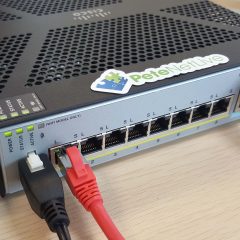
Cisco FirePOWER User Agent – Use With the FirePOWER Management Console
KB ID 0001179 Problem FirePOWER Management Center, will give you a wealth of information on traffic/threats etc. Usually it will tell you what IP the offenders are on, but if you want to know what a USER is doing, then that means you have to look though logs see who had what IP, at what time etc. So you can install the FirePOWER User Agent on a machine, (this can be a client machine, though I usually put it on a member server). You...