
Is Windows (Microsoft) Defender Good Enough? KB ID 0001940
Problem
A common question that still comes up surprisingly often is:
“Is Windows Defender good enough, or do I still need a third‑party antivirus?”
For years, the default advice for any fresh Windows installation was “install a proper antivirus immediately”. That advice used to be absolutely correct. However, Windows security has changed significantly over the last decade, and the old wisdom is no longer automatically true.
This article looks at what Microsoft Defender actually provides today, how it performs in independent testing, where its limitations are, and who should (and shouldn’t) rely on it alone.
What Is “Windows Defender” Today?
First, some terminology.
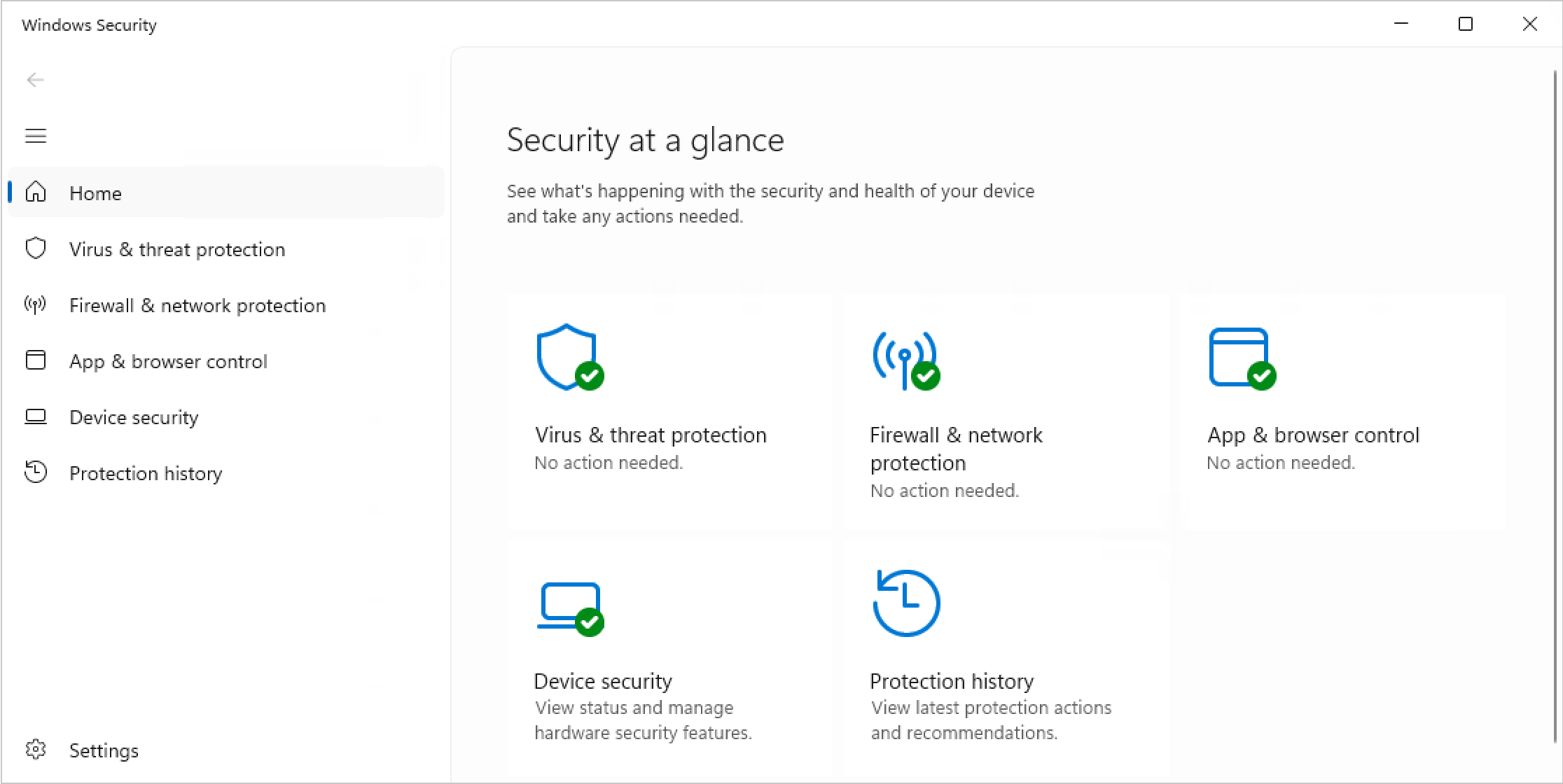
What most people still call Windows Defender is now officially branded as Windows Security or Microsoft Defender Antivirus. It is:
- Built directly into Windows 10 and Windows 11
- Enabled by default on clean installs
- Fully integrated with the operating system
It is no longer a lightweight, last‑resort scanner. Microsoft Defender now includes:
- Real‑time malware protection
- Cloud‑based threat intelligence
- Behaviour‑based attack detection
- Ransomware protection (Controlled Folder Access)
- SmartScreen reputation checks for downloads and websites
- Integrated firewall and exploit protection
- Hardware‑backed security (TPM, Secure Boot, VBS) when available
Independent Test Results (The Important Bit) : Defender Good Enough?
Ignoring marketing claims, the only results that really matter are independent lab tests.
AV‑TEST Results
AV‑TEST is one of the most widely respected antivirus testing organisations. In repeated tests across 2024, 2025, and early 2026, Microsoft Defender has consistently scored the maximum 6/6 in all categories:

- Protection
- Performance
- Usability
This means:
- Excellent malware detection
- Minimal system slow‑down
- Very low false‑positive rates
AV‑Comparatives Results
AV‑Comparatives produces large‑scale real‑world malware tests. Across both the 2024 and 2025 annual summary reports, Microsoft Defender achieved “Advanced” or “Advanced+” ratings, placing it very close to top paid antivirus products such as Bitdefender, ESET, and Norton.
Detection rates typically sit around 99.9%, with only fractional differences compared to market leaders.
So… “Is Windows Defender Good Enough”?
For Most Home Users: Yes
For a typical home or small‑office user, Microsoft Defender is absolutely good enough, provided the system is used sensibly.
Defender works best when combined with:
- Automatic Windows Updates
- A modern browser
- Sensible download habits
- Regular backups (still non‑negotiable)
Independent reviews aimed at everyday users now openly state that Windows 11’s built‑in security is sufficient for normal usage without installing third‑party antivirus software.
Where Microsoft Defender Falls Short
This is where nuance matters.
Phishing and Email Protection
Microsoft Defender’s phishing protection relies heavily on SmartScreen, which is most effective when using Microsoft Edge. Protection is weaker in third‑party browsers unless you add browser extensions or other layers.
Missing “Extra” Features
Unlike many paid security suites, Defender does not include:
- VPN services
- Password managers
- Identity theft monitoring
- Banking or “secure browser” modes
Whether these features are essential or just bundled marketing depends entirely on the user.
Higher‑Risk Users
You should strongly consider layered protection if you:
- Regularly download unknown software
- Handle sensitive business or customer data
- Support less technical family members
- Operate in regulated or compliance‑driven environments
Even proponents of Defender generally agree that no antivirus compensates for risky behaviour.
Defender vs Paid Antivirus – The Reality : Defender Good Enough
Modern third‑party antivirus solutions are not wrong, they simply provide different trade‑offs:
| Defender | Paid AV |
|---|---|
| Free and built‑in | Annual cost |
| Excellent core protection | Slightly higher zero‑day scores |
| Minimal system impact | Extra bundled tools |
| Integrated with Windows | Often cross‑platfor |
Defender Best‑Practice Recommendations
If you are relying on Microsoft Defender alone, do at least the following:
- Leave real‑time protection enabled
- Ensure cloud‑delivered protection is on
- Enable Controlled Folder Access
- Use a reputable browser with phishing protection
- Maintain offline or immutable backups
Note: None of these require third‑party software, but all significantly improve your security baseline.
Is ” Defender Good Enough” In Conclusion
Yes, Windows Defender is good enough for most users in 2026.
It now delivers:
- Excellent malware detection
- Low system overhead
- Tight OS integration
- Proven independent test results
Third‑party antivirus software is no longer a requirement; it is now an optional layer, useful in specific scenarios rather than mandatory for everyone.
As has always been the case in IT:
Security is about layers, updates, and behaviour — not just software choice.
Related Articles, References, Credits, or External Links
NA
Visit PeteNetLive on YouTube! (Please Subscribe)
