
Deploy Dual Virtual ASA Firewalls In Active/Standby Failover
KB ID 0000053 Problem Now you have created your Virtual ASA platform you want to deploy 2 of them in failover configuration. Solution Notes: Software To Download Qemu with ASA Dynamips WinPcap Sample Batch File @echo off ECHO Telnet to 127.0.0.1 on port 1234 to access ASA Console ECHO ——————————————————- ECHO * * * * * * *DO NOT...
Install and use ASDM in a Virtual Cisco ASA
KB ID 0000052 Problem You have already created a Virtual ASA, now you want to web manage it. Solution Notes: Software Download Links Fiddler Fiddler Script Related Articles, References, Credits, or External Links NA
Building a Virtual Cisco ASA
KB ID 0000051 Problem You would like to create a virtual Cisco ASA platform in a virtualized environment for training and or testing. Solution Notes: Software To Download Qemu with ASA Dynamips WinPcap Sample Batch File @echo off ECHO Telnet to 127.0.0.1 on port 1234 to access ASA Console ECHO ——————————————————- ECHO * * * * *...

GNS3 Cannot Connect Network Interfaces when running on VMware vSphere
KB ID 0000671 Problem I have plenty of real ASA firewalls to play with, but it’s getting round to re-certification time, so for ease I thought I’d run up a Virtual ASA on my vSphere 5 box just for testing and breaking. However no matter what type of Virtual Network adaptor I used (vmxnet3, e1000, etc) I could not connect to the virtual firewall. Solution 1. Firstly make sure you actually have an IP address in the correct...
Cisco Catalyst Password Recovery / Reset
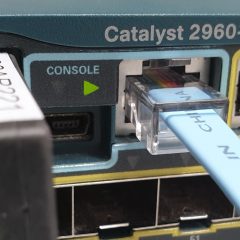
KB ID 0000496 Problem The title is a bit of a misnomer, we are not going to recover the password, we are simply going to change the password to one we know. Solution Note: This procedure works on models, 2900, 2940, 2950, 2955, 3500XL, and 3550. Before you start connect the the device with a console cable and terminal emulation software, the procedure is the same as the one I’ve outlined here. 1. Power the switch off >press...