
Trust Relationship KB ID 0000504
Problem
Seen on Windows clients in a domain environment.

The trust relationship between this workstation and the primary domain failed
What’s Happened?
Put simply, just like you have a password for your user account, the computer you log onto also has a password (you just never see it), it gets reset (by default) every thirty days, and all this runs in the background. For a lot of different reasons the computer password has got “Out of Sync” between the computer and the domain controller.
Solution
If you search for a solution you will be told to do this; Reset the computer password, on your domain controller, in administrative tools, launch “Active Directory Users and Computers” > Find the computer object that is having problems > Right click > Reset Account.
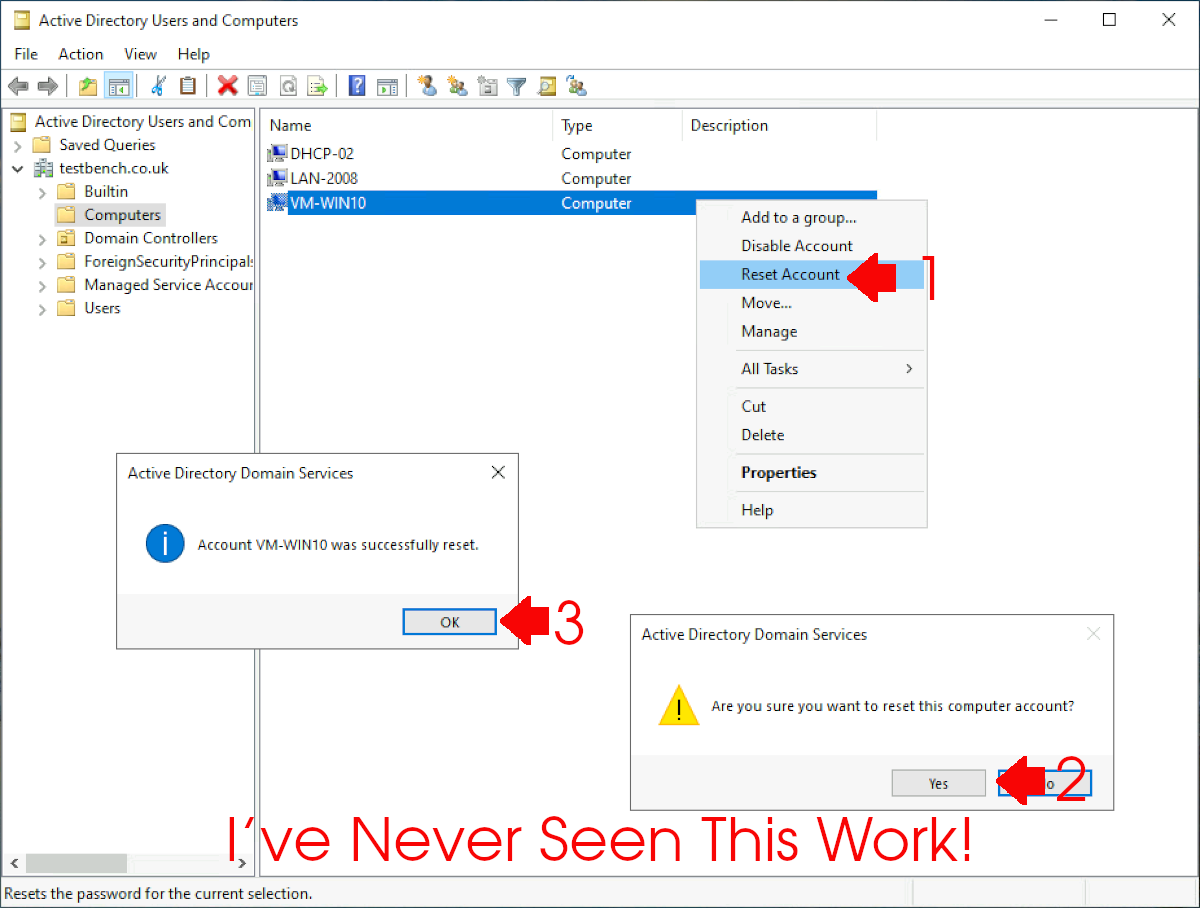
Then try to login again (BUT THIS NEVER WORKS). If it did then stop reading and have a nice day.
Fix Trust Relationship Error (Quickly with PowerShell)
Sometimes leaving the domain is NOT an option, if that’s the case, remove all network cables from the affected machine (remember disable wireless also). Then log on (you should be able to log on as either the local administrator, or a domain user that has ‘cached credentials’.)
Open an administrative PowerShell Window and issue the following command, then when prompted enter the domain admin credentials.

Reset-ComputerMachiePassword -Server {FQDN of a domain controller} -Credential Administrator
Enter the password, and then reboot the affected machine.
Trust Relationship: Netdom Resetpwd Longer Works
If you try and fix the trust relationship with netdom using the following syntax
You may get the following error;

‘netdom.exe’ is not recognised as a internal or external command
This is because after Windows 7 netdom was no longer included with a base build of Windows, (you need to install the RSAT tools to get it), but now you can use PowerSell why bother!
Fix Trust Relationship Error (Disjoin then Rejoin Domain)
Go back to the broken machine (remove any network cables, and turn off Wireless etc, so it has no network connections) > Try either to login with an administrative account, or log in as the local administrator (or an account that has local administrative privileges).
Note: From Windows 7 onwards the local administrator account is usually disabled, if you forgot the password or need it enabling you will need to do the following…
Windows Administrator “Lost Password” / “Password Reset”
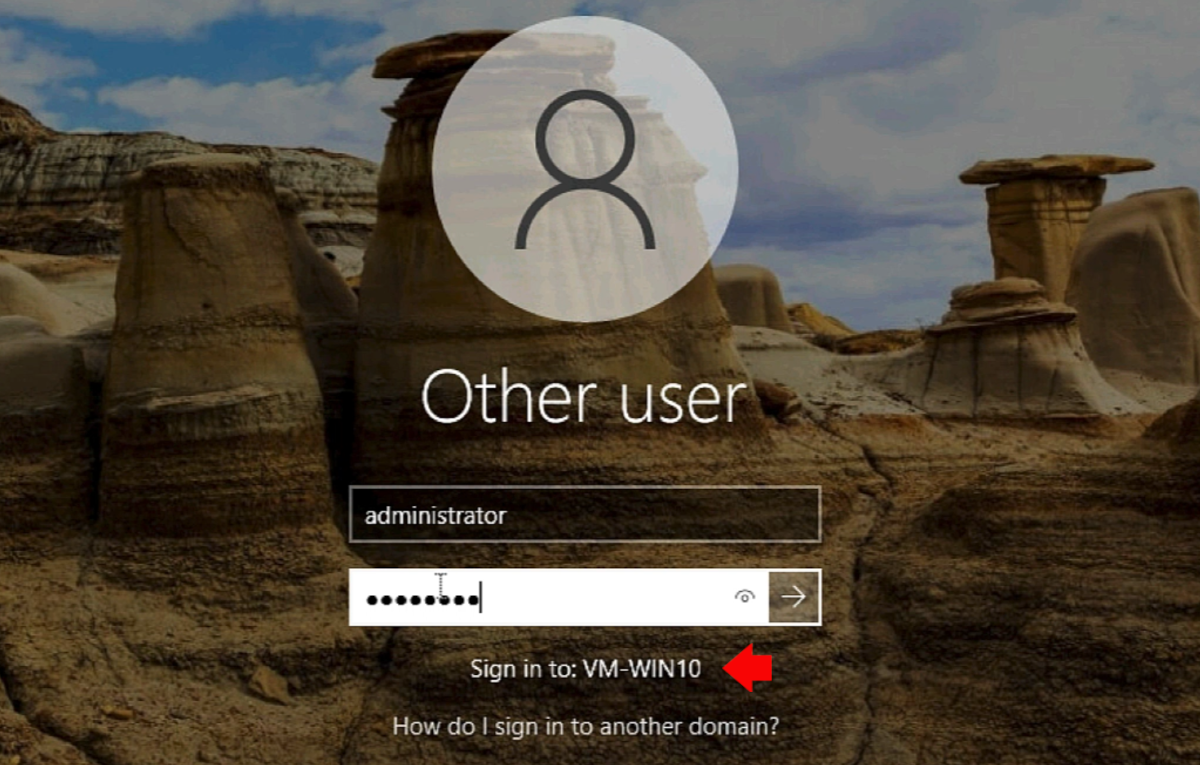
In the Search/Run box type sysdm.cpl {enter}. On the Computer Name tab > Change > In the workgroup section type in TEMP > OK.
Note: If leaving the domain is NOT an option, i.e. you have this error on a mission critical server, of you fear leaving the domain might break something, use the PowerShell solution.
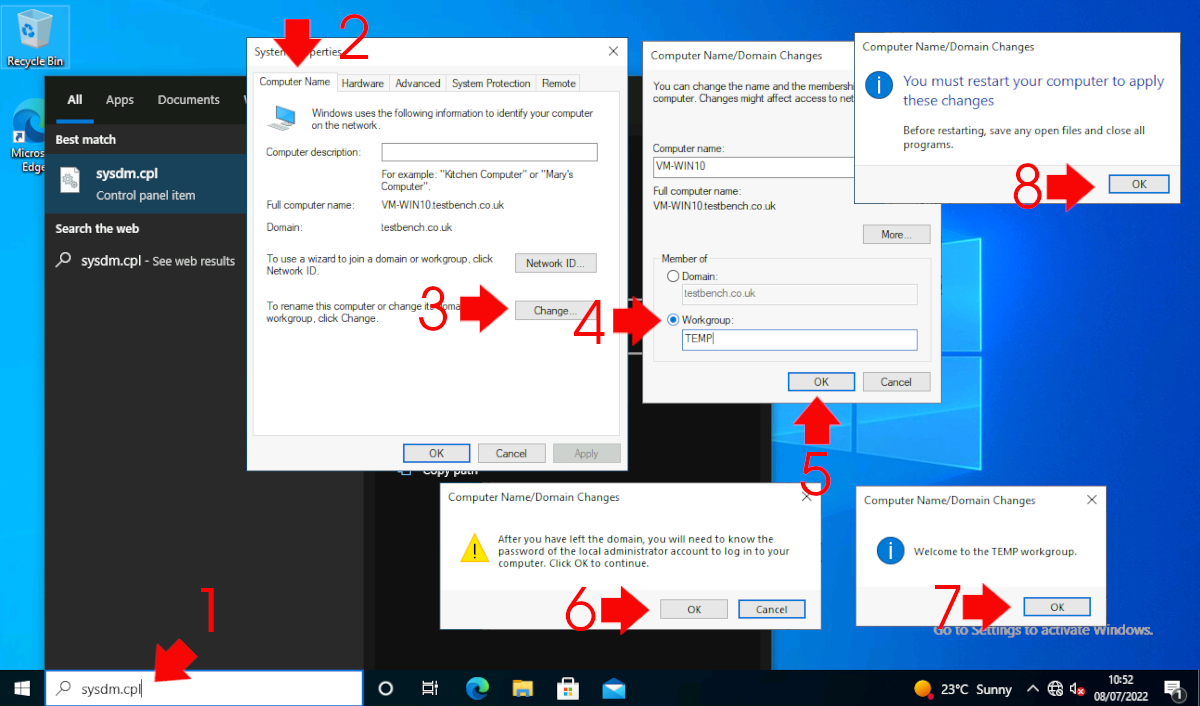
Take note of this Warning! – If you just logged on as the local admin then you know the password, if you DONT then reset it FIRST (Don’t reboot this machine till you either know or have changed the password to a password you know). Note: To reset > Right click computer > Manage > Local Users and Groups > Users > Right click administrator > Reset Password. Warning over click OK. OK > OK > Close > Reboot.
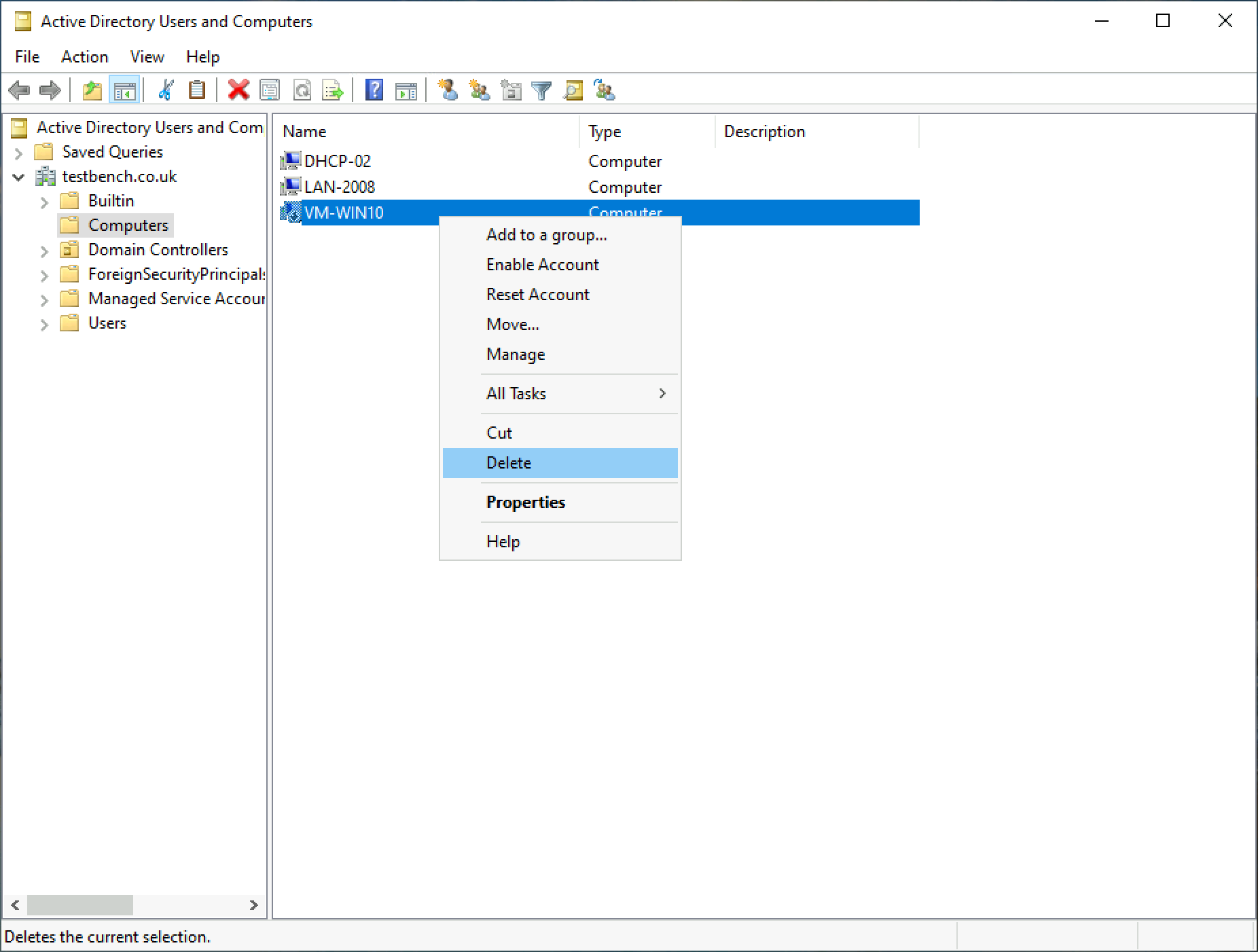
Back at the domain controller > in administrative tools, launch “Active Directory Users and Computers” > Find the computer object that is having problems > Right click > Delete.
Note: if you don’t have access to the domain controller > you can rename the PC when it’s rebooted so it has a different computer name, if you do that then skip this step.
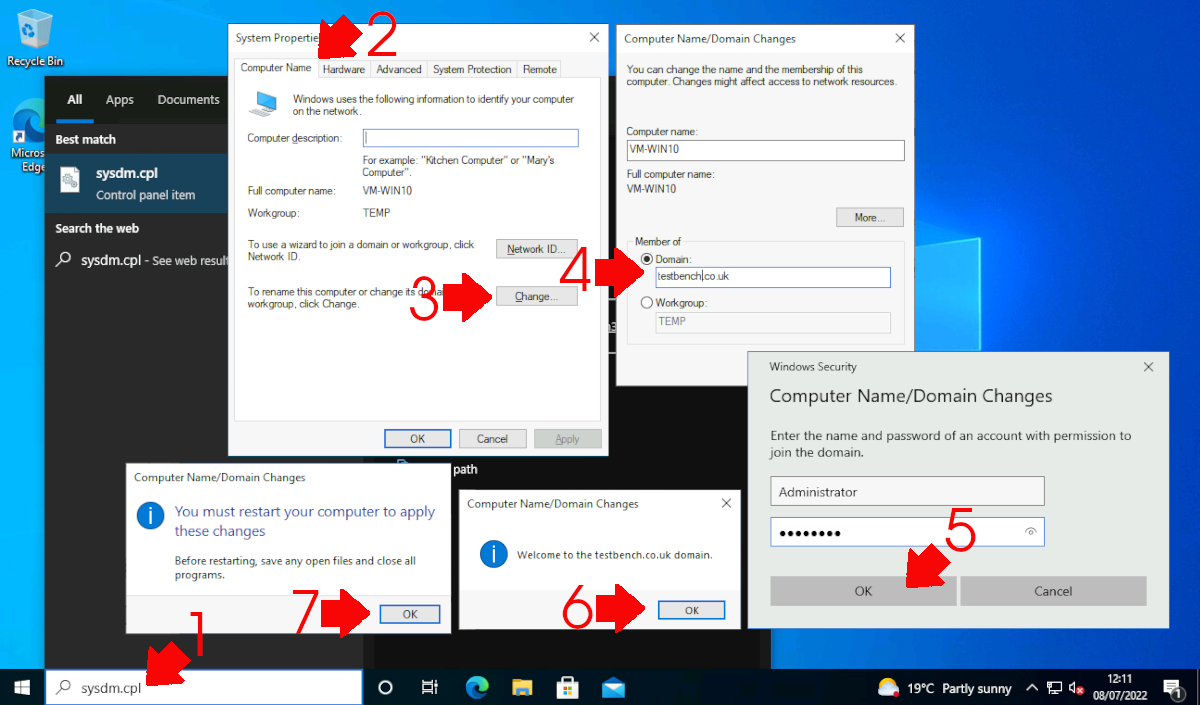
Run sysdm.cpl again and re-join your domain again. Supply domain credentials Note: I’ve used the domain admin account here but a domain user can join up to 10 machines to a domain. All being well (providing the password was correct and your DNS works) you should join the domain and need to reboot again. Post reboot the computer password will be reset.
Related Articles, References, Credits, or External Links
Broken trust relationship between a domain-joined device and its domain due to secure channel issues
Original Article Written 15 – Sep – 11
