
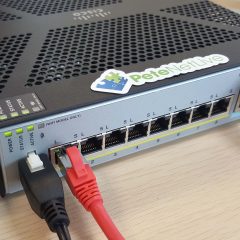
Allow access to VMware View through Cisco ASA 5500
KB ID 0000545 Problem To access VMware View though a firewall you need the following ports to be open; TCP Port 80 (http/www) TCP Port 443 (https/ssl) TCP Port 4172 (PCoIP) UDP Port 4172 (PCoIP) In the following example I’m using 192.168.1.100 as the internal IP address of the View Server and the public IP address of the firewall is 123.123.123.123. Which solution you use, depends on weather you are allowing access via a...
ASA – Memory Error (Post upgrade to version 8.3)
KB ID 0000553 Problem I’ve split this article away from this one, as it tripped me up this week again, so I think it deserves an article of its own. Some ASA firewalls that shipped prior to February 2010 may need a hardware memory upgrade, before you can update them to version 8.3 and beyond. If not you will see the following; Memory Error as seen on an ASA5510 ************************************************************* ** **...

Cisco ASA 5500 – Reset / Recycle VPN Tunnels
KB ID 0000586 Problem I’ve been asked this before and it came up on EE today, basically you have a site to site VPN tunnel and you either want to restart it or reset it. Solution Cisco ASA Reset ALL VPN Tunnels 1. Connect to your ASA, then to reset ALL your ISAKMP VPN tunnels use the following command; clear crypto isakmp sa In the example below I’ve reset ALL my tunnels. I had a constant ping running across the VPN, and...
IP Address Conflicts with VMware ESX and Cisco ASA
KB ID 0000635 Problem My colleague was setting up a DMZ server for one of our clients, it was a virtual server that was presented to the DMZ of a Cisco ASA 5510. Every time he gave it a static IP address it popped up an IP address conflict (no matter what the IP address was). Windows has detected an IP address conflict Another computer on this network has the same IP address as this computer. Contact your network administrator for...
Update Cisco ASA – Directly from Cisco (via ASDM)
KB ID 0000636 Problem Warning: Before upgrading/updating the ASA to version 8.3 (or Higher) Check to see if you have the correct amount of RAM in the firewall (“show version” command will tell you). This is VERYIMPORTANT if your ASA was shipped before February 2010. See the link below for more information. ASA – Memory Error (Post upgrade to version 8.3) Warning 2: Be aware, if you are upgrading to an OS of...