

Changing the IP Address / Subnet Mask of a Cisco CSC Module
KB ID 0000781 Problem I had a client re-address their network this weekend, I was asked to make the relevant changes on the firewall. I know the CSC has a web interface, but as I usually work at command line I wanted to work out how to do it that way. Solution In the example below I will change the CSC module form 192.168.1.254/24 to 172.16.1.254/16. 1. Connect to the ASA, and check that the CSC module is up and healthy. Note: Due...

Cisco CSC – Upgrade the Operating System
KB ID 0000807 Problem Upgrading the operating system on the CSC module is pretty straight forward, as long as you have a valid support agreement for your hardware and a CCO account you can download the updates straight from Cisco (here). Solution WARNING: It’s rare that you can update straight to the latest version, by all means try, and the CSC module will simply error if it will not accept the version you are trying to update...
Cisco ASA5500 Update System and ASDM (From CLI)
Do the same from the ASDM KB ID 0000074 Problem Below is a walkthrough for upgrading the OS image and ASDM using CLI, you will need a TFTP server up and running with the files sat in the TFTP servers upload directory. NOTE for updated ASA and ASDM software you need a valid Cisco CCO Login and support contract. For information on Installing and using a TFTP Server CLICK HERE Warning: Before upgrading/updating the ASA to version 8.3 (or...
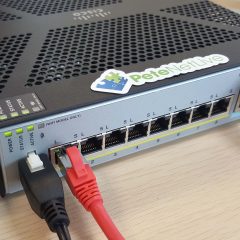
Cisco ASA5500 Update System and ASDM (From ASDM)
Do the same from command line KB ID 0000073 Problem Below is a walkthrough for upgrading the OS image and ASDM using the ASDM, this method does not require access to a TFTP server. Warning: Before upgrading/updating the ASA to version 8.3 (or Higher) Check to see if you have the correct amount of RAM in the firewall (“show version” command will tell you). This is VERY IMPORTANT if your ASA was shipped before February 2010....
Cisco ASA 5500 Client VPN Access Via Kerberos (From CLI)
KB ID 0000049 Problem You would like to enable remote access for your clients using the Cisco VPN Client software. Solution Before you start – you need to ask yourself “Do I already have any IPSEC VPN’s configured on this firewall?” Because if its not already been done, you need to enable ISAKMP on the outside interface. To accertain whether yours is on, or off, issue a “show run crypto isakmp”...