
KB ID 0000561
Problem
A distribution group is an active directory group, that has a shared email address. A security group can also have an email address, but unlike a distribution group a security group can be granted permissions to objects e.g. public folders, calendars etc.
A distribution group is used for sending mail to groups of people, like the engineering group or the sales group for example.
Solution
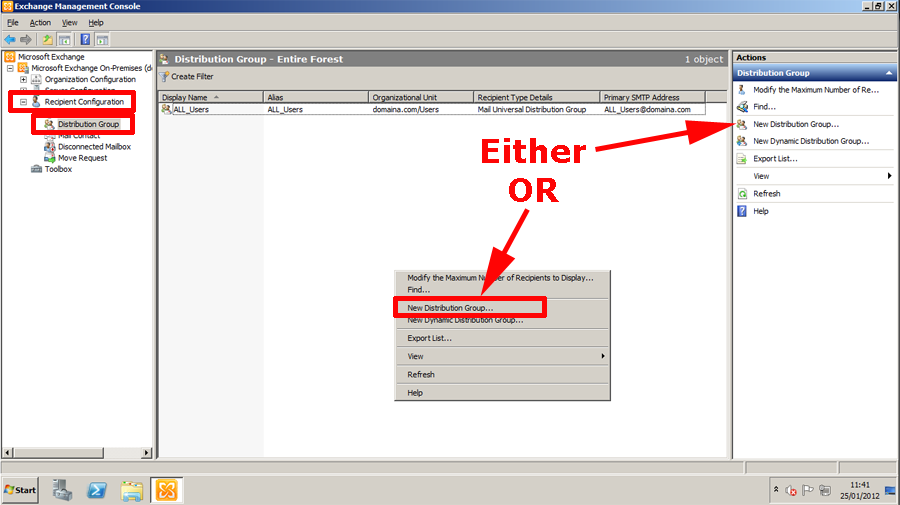
1. On the Exchange server launch the Exchange System Manager > Expand Recipient Organization > Distribution Groups >Select either “New Distribution Group” from the action menu or right click and select.
2. I’m going to create a new on,e if you want you can select “Existing group” and browse your active directory for a group you would like to add an email addresses for, > Next.
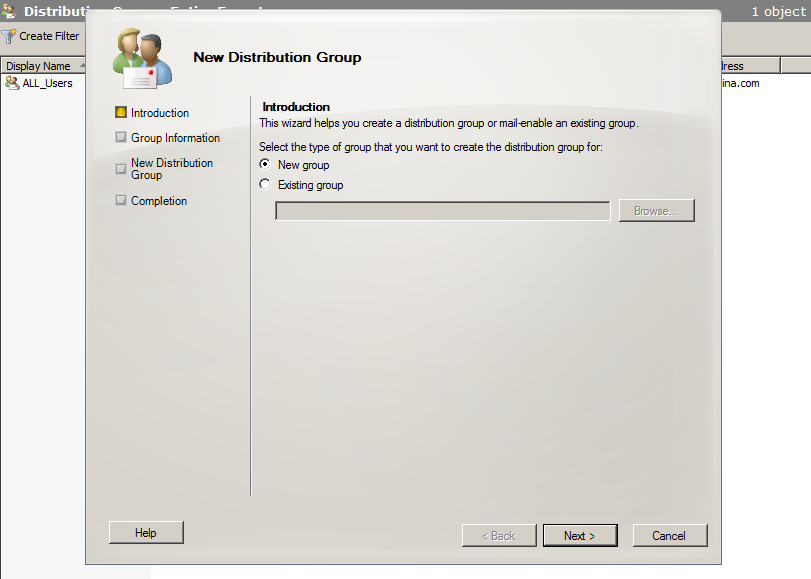
3. You can also create a mail enabled security group here, but we are going to stick with a simple distribution group > Give the group a name, and an email alias > Next.
Note: You can also specify which OU you want to create the group in here.

4. New.
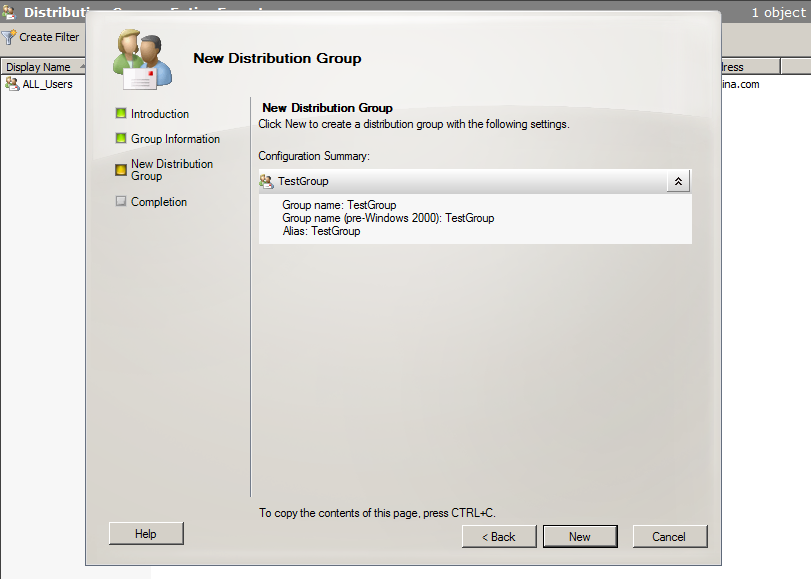
5. Finish

6. Right click your new group > Properties.
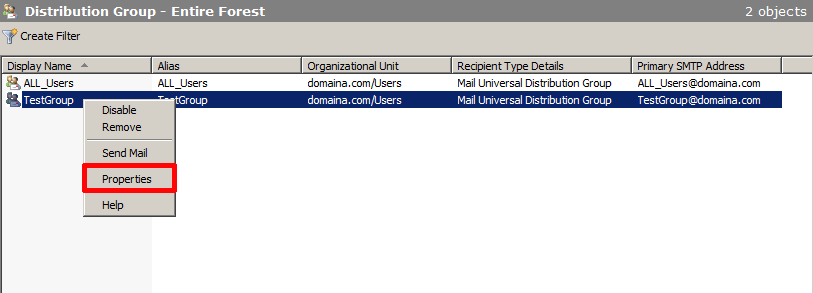
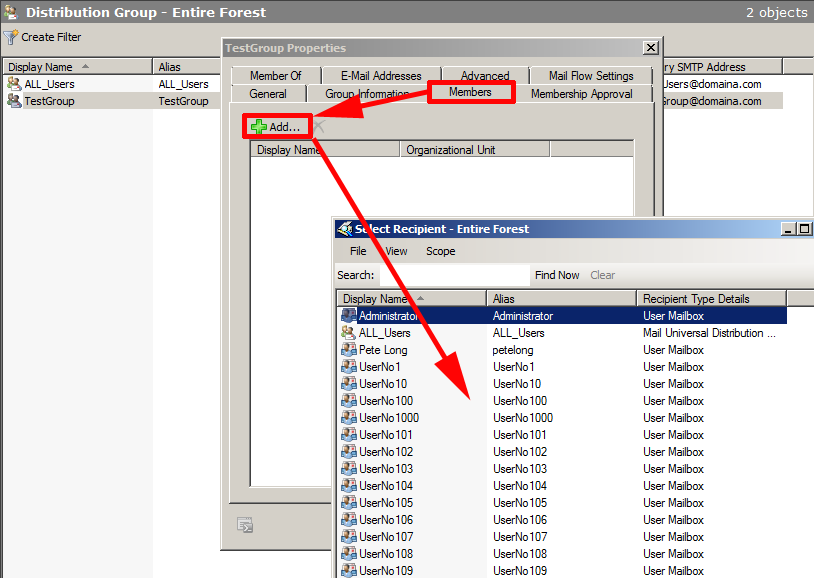
7. Members > Add > Add in as appropriate.
Allow a Distribution Group to Accept Mail from EXTERNAL addresses.
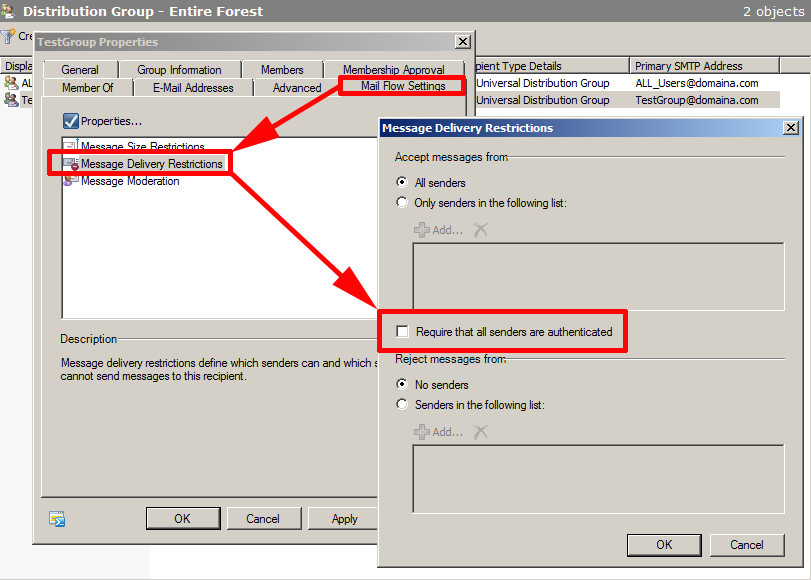
By default new distribution group cannot accept mail from outside your organisation, to change that, select the “Mail Flow Settings” tab > Double click “Message Delivery Restrictions” > UNTICK “Require that all senders are authenticated” > OK > Apply.
Related Articles, References, Credits, or External Links
Exchange – Creating Dynamic Distribution Groups Based on Organizational Units
