
KB ID 0000524
Problem
There are a number of reasons for doing this i.e. You want the “Javascript Error Alert” back that’s removed in IE9, or your business line CRM wont render in IE9 and setting a GPO to run it in “Compatibility View with IE7 Standards”* does not fix the problem.
*Note: Compatibility View Policy can be found at:
Computer Configuration > Administrative Templates > Windows Components > Internet Explorer > Compatibility View > Turn on Internet Explorer 7 Standards Mode
Solution
1. On your machine in the search/run box type appwiz.cpl {enter}.
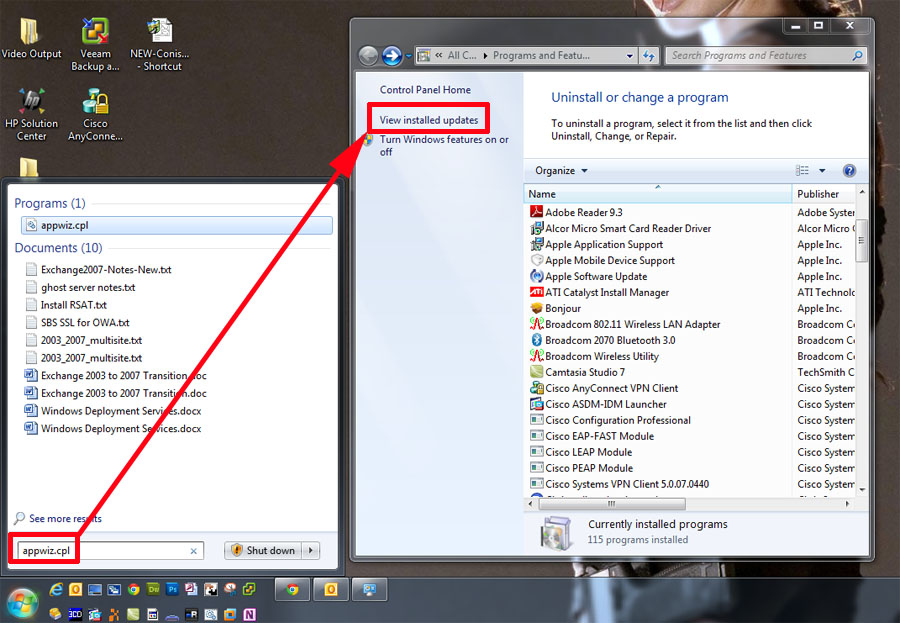
2. Locate “Windows Internet Explorer 9” in the “Microsoft Windows” Section and select Uninstall.
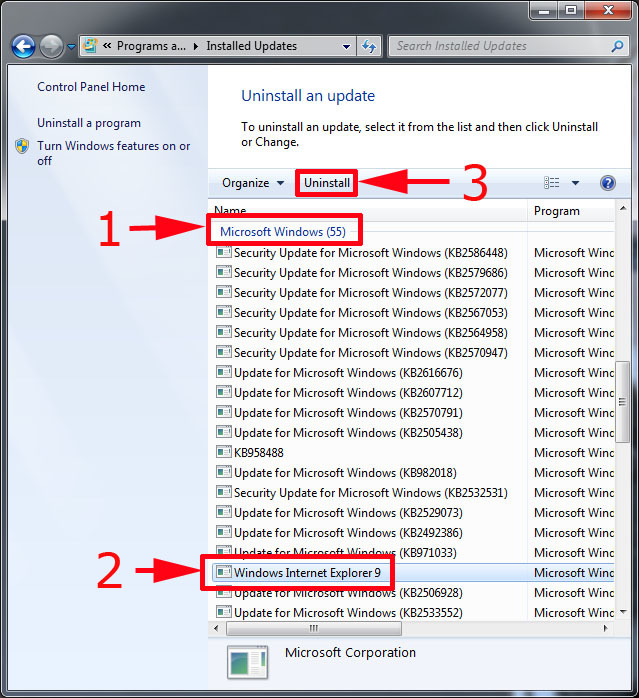
3. Yes we are sure.

4. Time for a coffee.

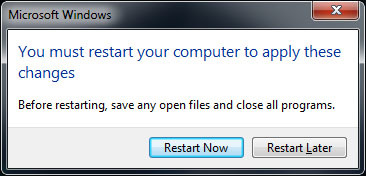
5. Restart now.
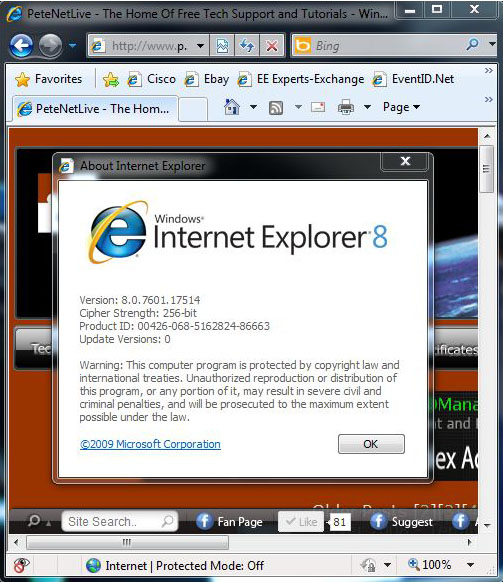
6. Post reboot you will have reverted to the previous version of Internet Explorer.
Remove IE9 Programmatically or via Script
1. The following command will also remove IE9:
FORFILES /P %WINDIR%servicingPackages /M Microsoft-Windows-InternetExplorer-*9.*.mum /c “cmd /c echo Uninstalling package @fname && start /w pkgmgr /up:@fname /norestart”
Related Articles, References, Credits, or External Links
NA
