
KB ID 0000337
Problem
Site to site VPN’s are great for main office to branch office connections, but for remote workers in a SOHO environment obtaining a static IP address can be expensive and time consuming. Traditionally remote workers will use either AnyConnect or IPSEC Remote VPN’s.
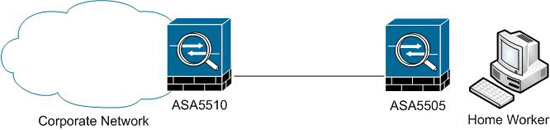
However Cisco have a system which lets you have a main site (or sites), with a static IP, that acts as the EasyVPN server, then remote sites with dynamic DHCP IP addresses can authenticate and connect via a hardware device. That remote hardware device can be another ASA (Note: Only ASA5505 can be used as an EasyVPN client), or a Cisco IOS router. In addition if you have any old PIX 501 or 506E firewalls laying around they can also be used as EasyVPN clients.
Solution
Step 1 Setup the EasyVPN server at the main site. (Example on ASA5510)
Step 2 Setup the EasyVPN client at the remote site. (Example on ASA5505)
Before you start – No other VPN’s can be running from this remote device, i.e. ISAKMP cannot be enabled on its outside interface.
Related Articles, References, Credits, or External Links
NA
