
KB ID 0000313
Problem
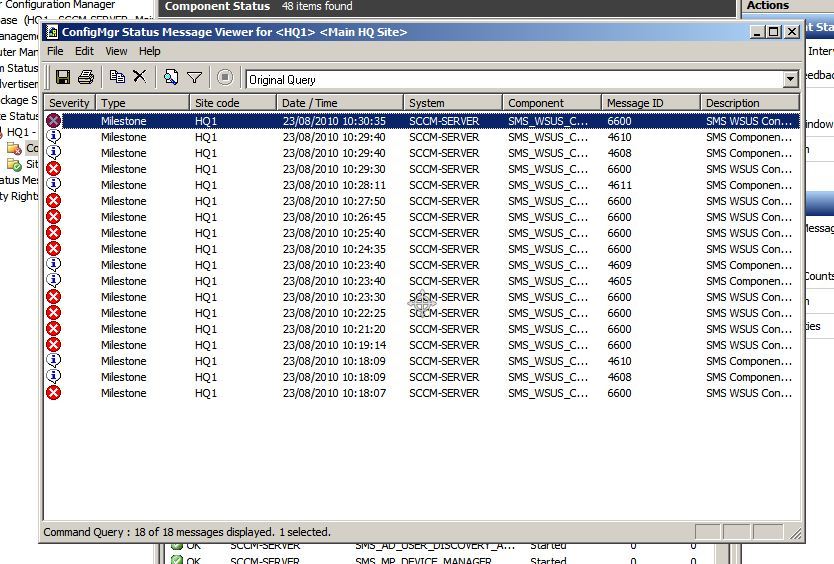
Seen in the SMS_WSUS_SYNC_MANAGER component status.
Solution
This is basically a comms/configuration error, so make sure if you have the firewall on, the correct ports are open! In my case I’d configured the SCCM server as per my own instructions here.
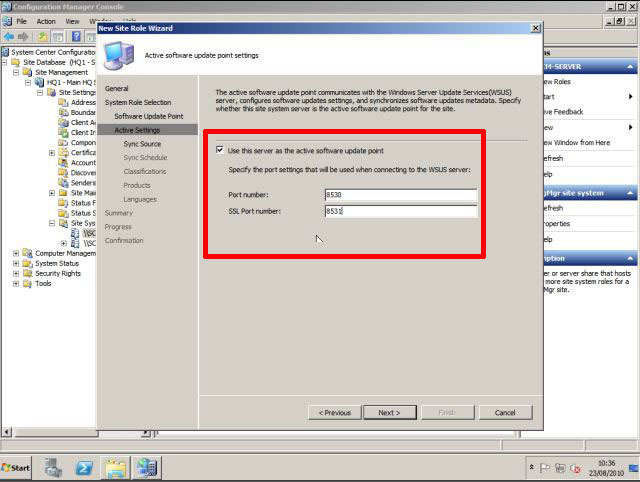
But when I configured the Software Update Point (SUP) I’d told it to use Ports 80 and 443.
1. To check yours, click Start > Administrative Tools > IIS Manager > Locate the “WSUS Administration” site and check the port numbers. (See Mine are 8530 and 8531).

2. You can simply remove your Software Update Point and add it back in with the correct port numbers (Its under Site Database > Site Management > {Your Site} > Site systems > Server name.
Related Articles, References, Credits, or External Links
Windows Server Update Services – Install and Configure (2008 R2)
