
KB ID 0000177
Problem
Quite why Microsoft have it disabled I don’t know.
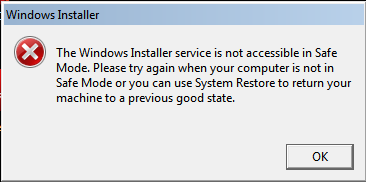
But to enable it you need to do the following.
Solution
Option 1 (If you are in “Safe Mode”).
1. Click Start > in the Search/Run box type cmd {enter} then type the following,
REG ADD “HKLMSYSTEMCurrentControlSetControlSafeBootMinimal MSIServer”/VE/T REG_SZ /F/D”Service” {enter}
2. Then type in the following,
net start msiserver {enter}
Option 2 (If you are in “Safe Mode”).
I had a problem doing this with a Windows 7 machine the other week. So instead I simply ran the following .reg file.
Which if you want to take a look does this:
Windows Registry Editor Version 5.00

[HKEY_LOCAL_MACHINESYSTEMCurrentControlSetControlSafeBootMinimalMSIServer] @=”Service”
Then manually started the installer service:
net start msiserver

Option 3 (If you are in “Safe mode with Networking”).
1. Click Start > in the Search/Run box type cmd {enter} then type the following,
REG ADD “HKLMSYSTEMCurrentControlSetControlSafeBootNetwork MSIServer”/VE/T REG_SZ/F/D”Service” {enter}
2. Then type in the following,
net start msiserver {enter}
Related Articles, References, Credits, or External Links
NA
