
KB ID 0000175
Problem
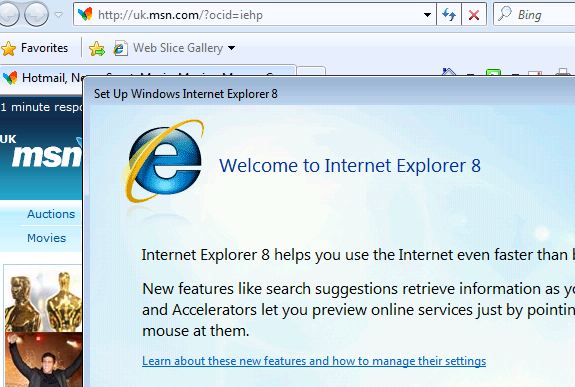
On a home PC, the welcome screen is not so bad, but in a corporate environment where users move round a lot, this popping up every time you log onto a new machine can get quite annoying.
Solution
You have two options,
Option 1: The simplest way in a domain is to disable it via group policy. You can find the relevant group policy at Computer Configuration > Administrative Templates > Windows Components > Internet Explorer > Prevent performance of First Run Customize Settings.

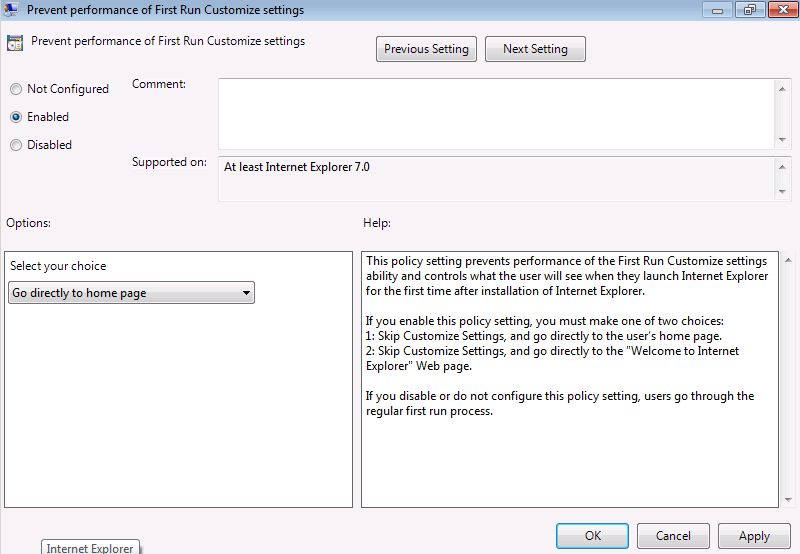
Set to “Enabled”, then set what you want the browser to do > Apply >OK.
Option 2: You can do this via registry key as well (on a user by user basis). Simply save the following as remove-welcome.reg and run it on the machine in question.
Windows Registry Editor Version 5.00
[HKEY_LOCAL_MACHINESoftwarePoliciesMicrosoftInternet ExplorerMain] “DisableFirstRunCustomize”=dword:00000001
Related Articles, References, Credits, or External Links
NA
