
KB ID 0000165
Problem
When attempting to send mail to an Exchange EMail Server, you see the above error message. Usually the Exchange can send mail out and exhibits no other problems. You may also see one of the following error messages in the servers event log.
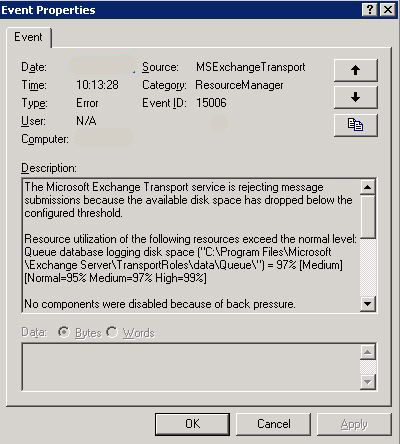

This is caused by an Exchange “Feature” Called “Back Pressure”, and the usual culprit is, there is less than 4Gb (Lowered to 500Mb with SP1) on the drive that holds the mail queue.
Solution
Option 1: Free up some room on the server hard drive so that it has more than 4GB (or 500MB with Exchange SP1) free.
Option 2: Move the mail queue database to another drive that has free space. Note: This is Microsoft’s preferred action.
Option 3: Turn off Back Pressure.
1. Locate the EdgeTransport.exe.config file (Its in Exchange ServerBin).
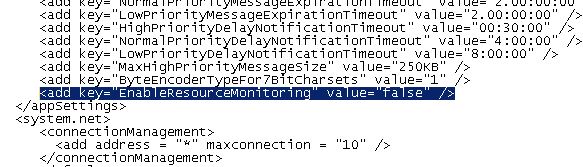
2. Open the file with notepad and add the following key as shown, (Paste it in).
<add key=”EnableResourceMonitoring” value=”false” />
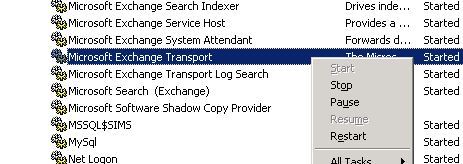
3. Restart the servers “Microsoft Exchange Transport Service.”
Related Articles, References, Credits, or External Links
Exchange 2007 – Emails go Straight to ‘Drafts’
