
KB ID 0000041
Problem
UAC (User Account Control) – while a good thing, sometimes causes more annoyances than solves problems, to turn it of through group policy do the following.
Solution
This Policy is a Computer based policy and needs to be applied to Computers NOT Users.
Disable UAC On Windows Server 2008 / 2008 R2 Domain With Group Policy
1. On a domain controller or a client running the remote administration tools > Windows Key+R > gpmc.msc {Enter} > The Group Policy Management Console will open.
2. Select the OU that contains the ‘Computers’ you want to enforce this policy on, (or here I’m choosing the entire domain) > Right Click > ‘Create GPO in this domain, and link it here..’.
3. Give the policy a sensible name so you can see what it is doing later.
4. Right click your new policy > Edit.
5. Navigate to;
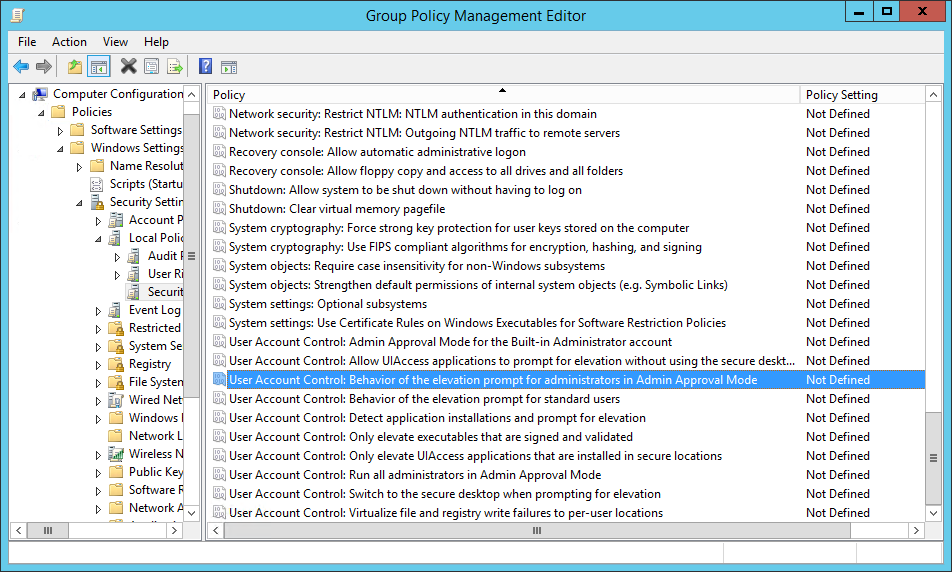
6. Set the following policies;
User Account Control Behaviour of the elevation prompt for administrators in Admin approval mode - No Prompt or Elevate without Prompting
User Account Control Detect Application installations and prompt for elevation - Disabled
User Account Control Run all administrators in Admin approval mode - Disabled
Disable UAC On Windows Server 2008 / 2008 R2 Domain With Group Policy
Computer Configuration > Policies > Windows Settings > Security Settings > Local Policies > Security Options
Set the Following
- User Account Control Behaviour of the elevation prompt for administrators in Admin approval mode – No Prompt or Elevate without Prompting
- User Account Control Detect Application installations and prompt for elevation – Disabled
- User Account Control Run all administrators in Admin approval mode – Disabled
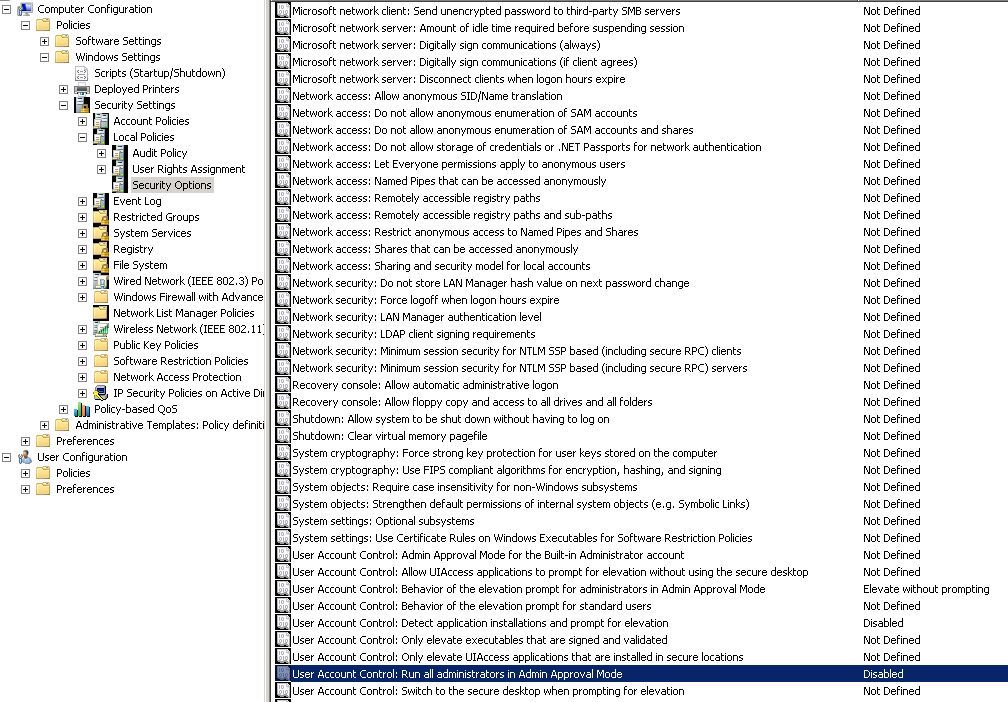
Disable UAC in Local Policy or 2002/2003 Domain
Computer Configuration > Windows Settings > Security Settings > Local Policies > Security Options
Related Articles, References, Credits, or External Links
Original Article Written: 12/07/09
