
KB ID 0000558
Problem
Seen when trying to use the AnyConnect client to connect to your Cisco Device.
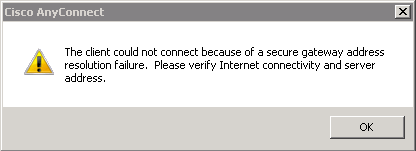
Error:
Cisco AnyConnect
The client could not connect because of a secure gateway address failure. Please verify Internet connectivity and server address.
Solution
Note: Common sense dictates, make sure you actually have internet connectivity first!
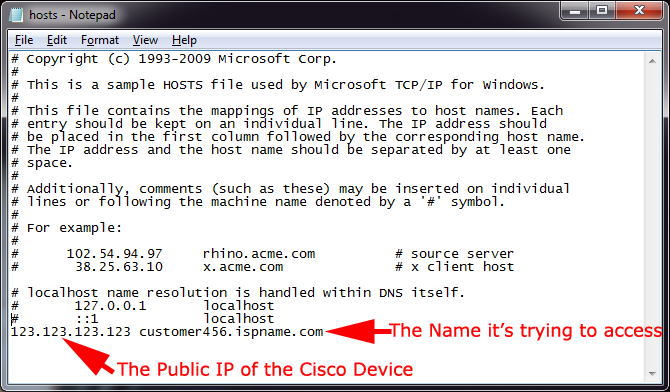
Essentially this is caused because the AnyConnect client wants to connect to the “Name” of your gateway not its IP address, often this can be an “Odd” name allocated by your ISP, if you do not have a registered DNS name that you use.
That works OK if you can resolve that name in DNS, but if you can’t you see this error. The simplest fix is to put the “Name” you are trying to connect to in the problem clients “host file. This gets checked before DNS is consulted.
1. Run the following command;
2. Choose “Notepad” to open the file.

3. Enter the public IP and the name the AnyConnect software is connecting to, save the file and exit.
Note: Windows Vista/Server 2008 and newer operating systems DO NOT require a reboot. (XP/Server 2003 and older will).
Related Articles, References, Credits, or External Links
Thanks to Roger Bingham for his patience while I worked out what was wrong 🙂
