
KB ID 0000287
Problem
Without reading a lot of readme files and head scratching, its confusing which Groupshield package you need, and what does what.
Solution
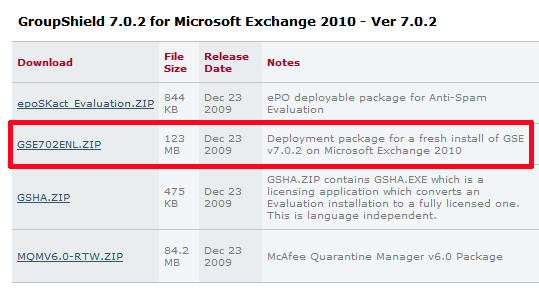
1. Download and extract GSE702ENL.zip
2. From within the extracted files run setupsetup.exe > Next > Next.
3. Change Licence expiry type to “Perpetual” (or 1 or 2 year as appropriate) > Tick “I Accept…” OK > Next > Next.
4. Complete > Next > Tick “Create Desktop Shortcut” > Next > Finish.
Note: GSHA.zip – Licences a trial version- if you’ve downloaded from the NAI portal your is already licensed.
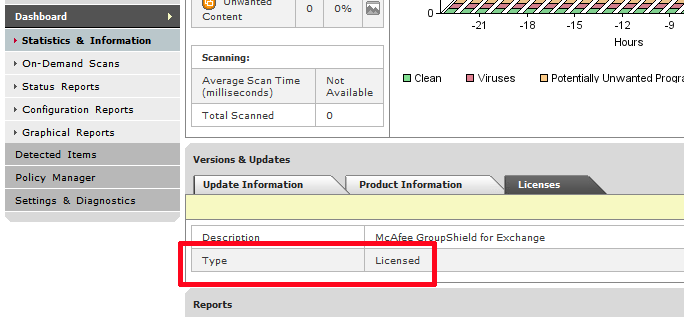
To Add AntiSpam Support
1. Download and Extract GSHASL.zip
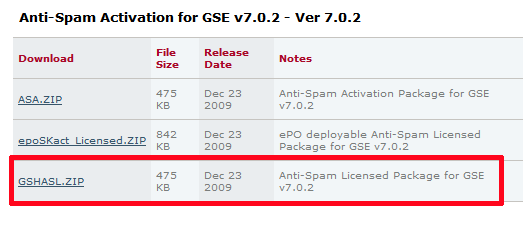
Note: ASA.zip Is for converting the trial version of AntiSpam to a Licensed Version
2. From within the extracted files run gshasl.exe > Next.
3. Change Licence expiry type to “Perpetual” (or 1 or 2 year as appropriate) > Tick “I Accept…” OK > Finish.
Related Articles, References, Credits, or External Links
NA
