
KB ID 0000197 Dtd 04/03/10
Problem
Seen on Outlook 2007 and Outlook 2010 talking to Exchange 2007 (Note this fixes Outlook 2007 but NOT 2010.) When opening the “Out Of Office Assistant.”

Your Out of Office Settings cannot be displayed, because the Server is currently unavailable. Try Again Later
Other Symtoms
1. You see hash marks in the Scheduling Assistant.
2. You see “Object reference not set to an instance of an object.” error when running the Poweshell cmdlet Test-OutlookWebServices.
3. The OOF Log shows “Response error code: 00000000” and “HTTP status code: 0”.
Solution
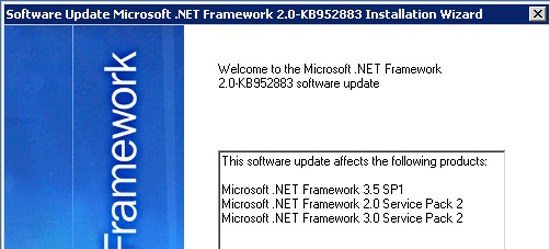
This is caused by a .NET error.
To Fix it install this HOTFIX (Afterwards neither Exchange or Outlook needs restarting.)
To Workaround.
Option 1
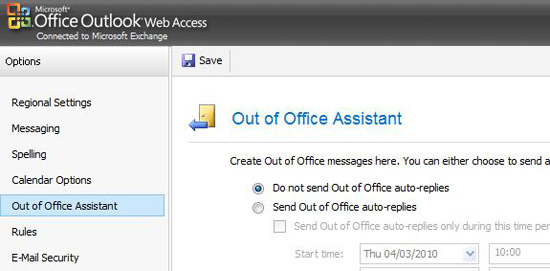
Use the out of office assistant with Outlook Web Access.
Option 2 (On a client by Client basis)
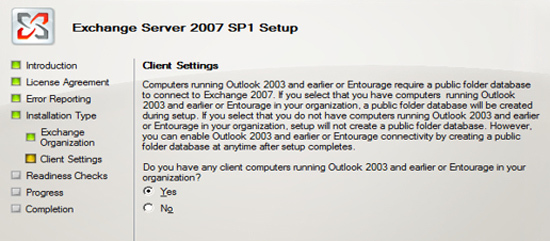
Note: This will only work if you have Schedule+ Free/Busy Public folders, you will only have this if you ticked “Yes” at the “Do you have computers running Outlook 2003..” option when Exchange was installed.
1. On the affected Outlook machine, Click Start > Run > regedit > {enter}
2 Navigate to, HKEY_CURRENT_USERSoftwareMicrosoftOffice12.0OutlookOptionsCalendar
3. Right click in the right hand window > New DWORD
4. Call it UseLegacyFB set its value to 1
5.Exit Regedit.
You may also want to check this Article
Related Articles, References, Credits, or External Links
NA
